
Technical guide
VFD Overcurrent Fault: Record the Trip Before Replacing the Drive
Record the exact VFD fault, trip timing, load, settings and available readings before escalating service or ordering a replacement drive.
Jack Dean writes practical VFD selection, wiring, replacement and power-quality guides using current manufacturer documentation and explicit procurement checks.
Author profile
Replacing a drive before recording its overcurrent trip leaves the replacement decision without the original evidence. For a VFD tripping on instantaneous overcurrent, first preserve the exact code, the point in the machine cycle and the available records, then match that code to the manual for the installed unit.
A fault code identifies a detected condition; it does not, by itself, prove that the drive needs replacing. This guide gives maintenance planners and buyers a blank event record and a route for handing it to the right service person. Unknown readings stay unknown.
| Record first | Source | Decision it supports |
|---|---|---|
| Exact code, including dots and leading zeros | Existing display photo, alarm log or operator record | Which fault description applies |
| Complete drive identity and firmware, if available | Existing asset record or safely accessible label | Which manual and revision to use |
| Start, acceleration, running or stopping | Operator account and machine event log | Which part of the sequence needs review |
| Motor, driven load and last change | Nameplate record and maintenance history | What changed before the first trip |
| Current, frequency and ramp information already available | Drive export, trend or parameter backup | What evidence exists, and what is still missing |
Swipe or scroll horizontally to see all columns.
Safety actions take priority over evidence capture. Do not keep equipment energized to finish this record. Use information already available from normal operator access or existing files; opening equipment, isolation, measurements and testing belong to qualified personnel following the site procedure and the exact product manual. A stop button is not energy isolation, and stored energy must be addressed by the responsible personnel.
Confirm what the fault actually means
An instantaneous overcurrent trip and a timed motor-overload trip are different conditions. The drive manual reviewed for this page describes hardware overcurrent as output current exceeding a hardware limit. Its electronic motor-overload protection instead includes a time-dependent condition tied to the motor-overload current setting. The same fault table separately identifies a motor-stalled condition as inability to accelerate.
Keep those descriptions separate in the record. Do not turn an operator's phrase such as “overload on startup” into a fault classification until the actual code has been matched to the installed drive's manual. The thresholds and codes in that manual apply to that drive, not to every VFD.
Punctuation matters too. The manufacturer FAQ reviewed for this page distinguishes similar fault strings by where the dots appear. Preserve a photo or exact transcription instead of normalizing the code into a familiar spelling.
Write the manual's publication number, revision, page and exact fault description beside the code. If the manual cannot be matched, the next action is to obtain the correct document. It is too early to choose a repair or replacement branch.
Use trip timing to organize the evidence
The manufacturer timing guidance reviewed for this article explicitly asks whether the condition occurs at startup, while stopping or while running. This table extends that question into a record for the service team. The branches organize evidence; none diagnoses a component from timing alone.
| When the trip was observed | Preserve from existing records | Question for the responsible service person |
|---|---|---|
| At the start command, before observed rotation | Exact code, command timestamp, whether the motor was already moving, last motor or cable work | Does the manual point to settings, the motor/output circuit or a drive-service procedure? |
| During acceleration | Active ramp setting and its source, target frequency, motor data, load state, any existing trend | Do the motor data, requested acceleration and actual load agree with the documented application? |
| During steady operation | Process step, material or load change, logged frequency/current, duration before the trip | Was there a load event or mechanical obstruction, and what evidence supports that possibility? |
| During stopping or a speed change | Active stop mode, ramp selection, sequence timestamp, exact code and available bus-voltage record | Is this actually an overcurrent event, or a different fault requiring its own manual branch? |
Swipe or scroll horizontally to see all columns.
Do not recreate the trip to fill the table. Mark operator recollection as recollection, and distinguish it from a timestamped controller record. If several people describe different stages, retain both accounts until the sequence can be reconciled.
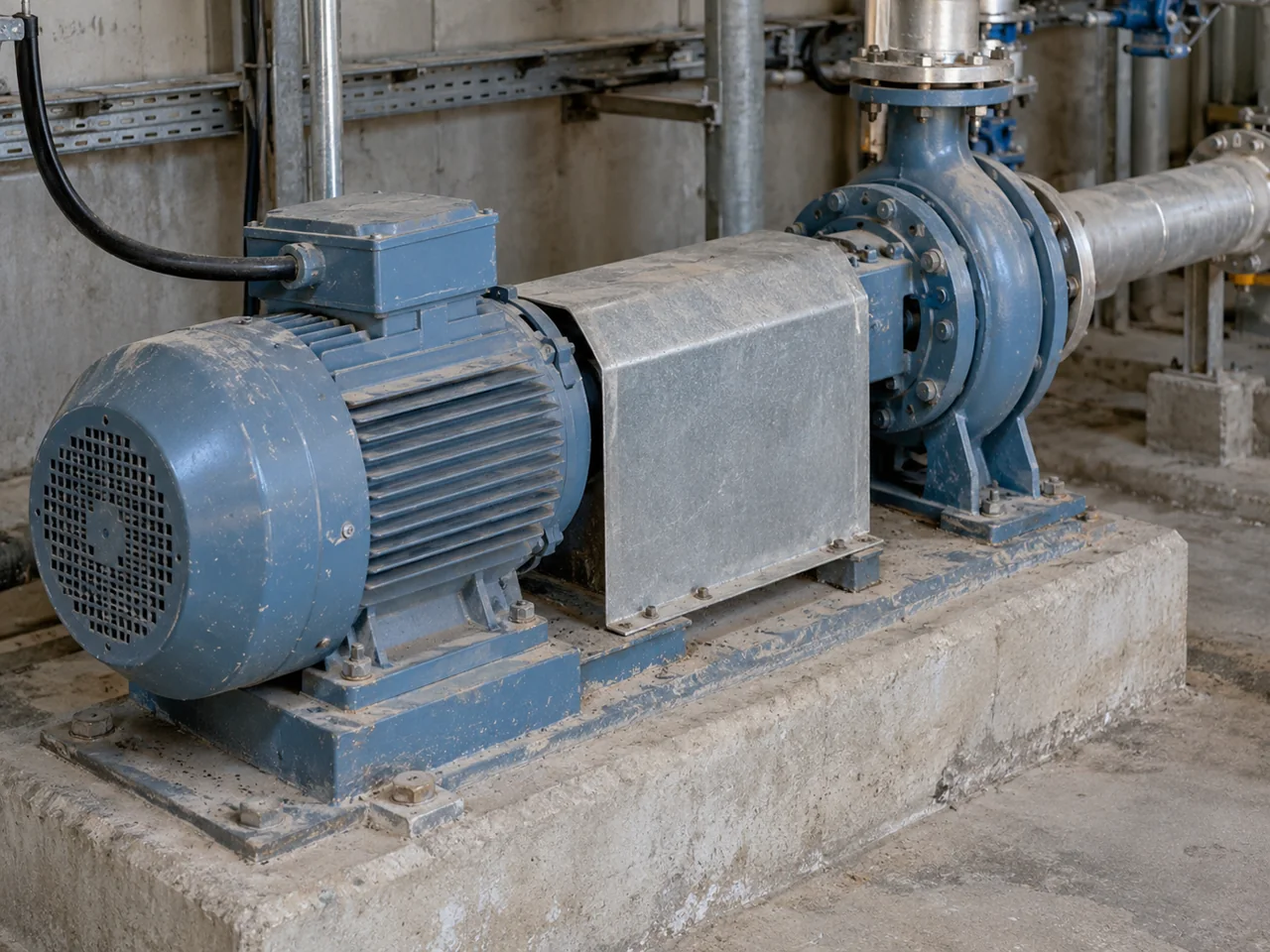
The motor and driven machine belong in the same event description. The manufacturer guidance includes mechanical obstruction, motor data and loading among its review points. A photo of a closed, safely accessible machine can help identify the arrangement, but it cannot establish that the shaft turns freely or that insulation is sound. Leave those findings to a documented service report.
Copy this overcurrent event record
Use one record per observed event. The entry column is intentionally blank. Write “Unknown / verify on the unit” when a source is unavailable; do not copy a value from a similar machine.
| Field | What belongs here | Your entry |
|---|---|---|
| Asset and event | Machine/panel identity, date, time and time zone; record author | |
| Drive identity | Complete catalog number, voltage/current rating, firmware if recorded | |
| Fault and history | Exact displayed code/text; alarm export or photo filename; sequence of other faults | |
| Manual match | Publication, revision, page and fault description for this unit | |
| Trip stage | Start, acceleration, running, stopping or unknown; source of that account | |
| Motor identity | Motor voltage, current, frequency, power and connection as documented on its nameplate | |
| Load state | Driven machine, process step, commanded direction and whether motion already existed | |
| Current evidence | Value with unit; whether it is a retained fault value, historical trend or later display reading; timestamp/source | |
| Frequency evidence | Command and output frequency if available, units, timestamp and source | |
| Configuration | Existing parameter backup; active ramp/stop mode, motor-data and relevant limit settings with parameter identifiers | |
| Last change | Last known normal operation; motor, cable, machine, controller or parameter changes and their dates | |
| Motor/cable findings | Existing qualified-person report, method/document reference and conclusion; otherwise unknown | |
| Open question and owner | Missing evidence, person responsible and manufacturer/service case reference |
Swipe or scroll horizontally to see all columns.
A later display reading is not automatically a retained trip reading. Label each value by how and when it was obtained. If the drive offers no retained value, leave that cell open; this record does not assume every model stores the same data.
Fault history also needs interpretation. The reviewed manual says repetitive faults are recorded only once in its code-history parameters. Therefore, for that drive, a single history entry is not a count of every incident. Keep the operator's event chronology alongside the export.
Route the record before choosing a replacement
Follow this sequence without changing settings to see what happens:
- Match the code to the unit. If identity, firmware applicability or the fault definition is unresolved, send that question to the manufacturer or qualified service provider first.
- Join timing to the last change. Place the event beside the maintenance and process chronology. A changed ramp, replaced motor or repaired cable is a lead to review, not proof of the cause.
- Assign the evidence branch. Motor/load questions need the machine and motor records. Output-circuit questions need the qualified person's motor/cable findings. Configuration questions need the existing parameter backup and the manual's relevant entries. If the manual directs drive service, retain its instruction and case reference.
- Record the disposition. Write the service finding, supporting document and responsible person's next action. An unresolved cause stays open; a purchasing request should not silently convert it into “failed drive.”
The reviewed drive manual requires the cause to be corrected before a fault is cleared. This article provides no reset sequence, protection override, open-circuit running test or energized measurement procedure. Those actions cannot be selected safely from a generic timing table.

Once qualified service has established a replacement need, use the VFD replacement checklist to preserve wiring, I/O, communications, safety and braking requirements. For an installation drawing question, the VFD wiring basics guide explains the records to compare with the exact manual. The variable frequency drives category is a sourcing starting point after the required rating and functions are established; a fault code alone does not select a compatible drive.
What to send us
For a sourcing discussion, use the records above rather than starting with motor power alone.
| Item | Why we need it | Example format |
|---|---|---|
| Drive and motor identity | Establish the equipment and document match | Existing nameplate records or typed catalog/rating details |
| Exact fault and trip stage | Preserve the event the enquiry concerns | Alarm export/photo and start/acceleration/running/stopping account |
| Load, last change and configuration record | Describe the application and known changes | Process note, dated change list and available parameter backup |
| Partly filled event record and service disposition | Show what is known and what remains unresolved | Copy of the table and service case reference, if available |
Swipe or scroll horizontally to see all columns.
Send these records through WhatsApp. We can review which information is still missing for a sourcing enquiry. Fault diagnosis and the decision to return equipment to service remain with the manufacturer and the qualified person responsible for the machine.
Editorial basis
Reviewed 15 October 2026. This record is compiled from public documents and is not a field test or a diagnosis of a particular machine.
- Drive user manual, publication 22D-UM001F-EN-E, September 2024: printed pages 50, 55 and 116–118, covering fault history, motor-overload behavior and fault definitions/actions. Codes and thresholds belong to the covered drive only.
- Manufacturer support FAQ FA354561, modified 17 July 2025: used for trip-stage recording and motor-data, load and obstruction review points. Its parameter-change suggestions are not reproduced here.
- Manufacturer support FAQ FA164705, modified 19 June 2026: used for the distinction between similar fault strings with different punctuation. Its testing procedures are outside this article.
- Occupational Safety and Health Administration, Energy Control Program: Specific Procedures for Energy Control and Control Circuitry Prohibition, accessed 15 October 2026: used for the isolation and stored-energy boundary.
Use the current manual for the exact installed unit. This Learning Center record helps prepare the handoff; it does not replace that manual or the site's service procedures.